The communication rules determine whether the partcipants in the icom Connectivity Suite - VPN, i.e. PCs, INSYS routers and devices locally connected to them, are allowed to connect to each other.
The communication rules are configured in the Groups menu.
Communication within a group
The icom Connectivity Suite – VPN enables to permit or prohibit all devices that are in one group to communicate with each other. Prohibiting internal connections is reasonable for example, if devices of different customers are within one group.
Determining the rules for internal communication takes place when adding the group and can always be changed in the Group information in the Group properties section. To do this, click on under Internal connections to specify whether connections between the devices in this group are Allowed or Denied.
Please note the following regarding internal connections!
No restrictions regarding direction, protocol, IP address or port can be defined for internal connections.
Communication between groups
The icom Connectivity Suite – VPN enables to determine rules for the communication between devices that are in one group and devices that are in another group. Determining the rules for the communication between the groups takes place in the Group information in the Group properties section. To do this, click the button in the Action column of the relevant group connection rule.
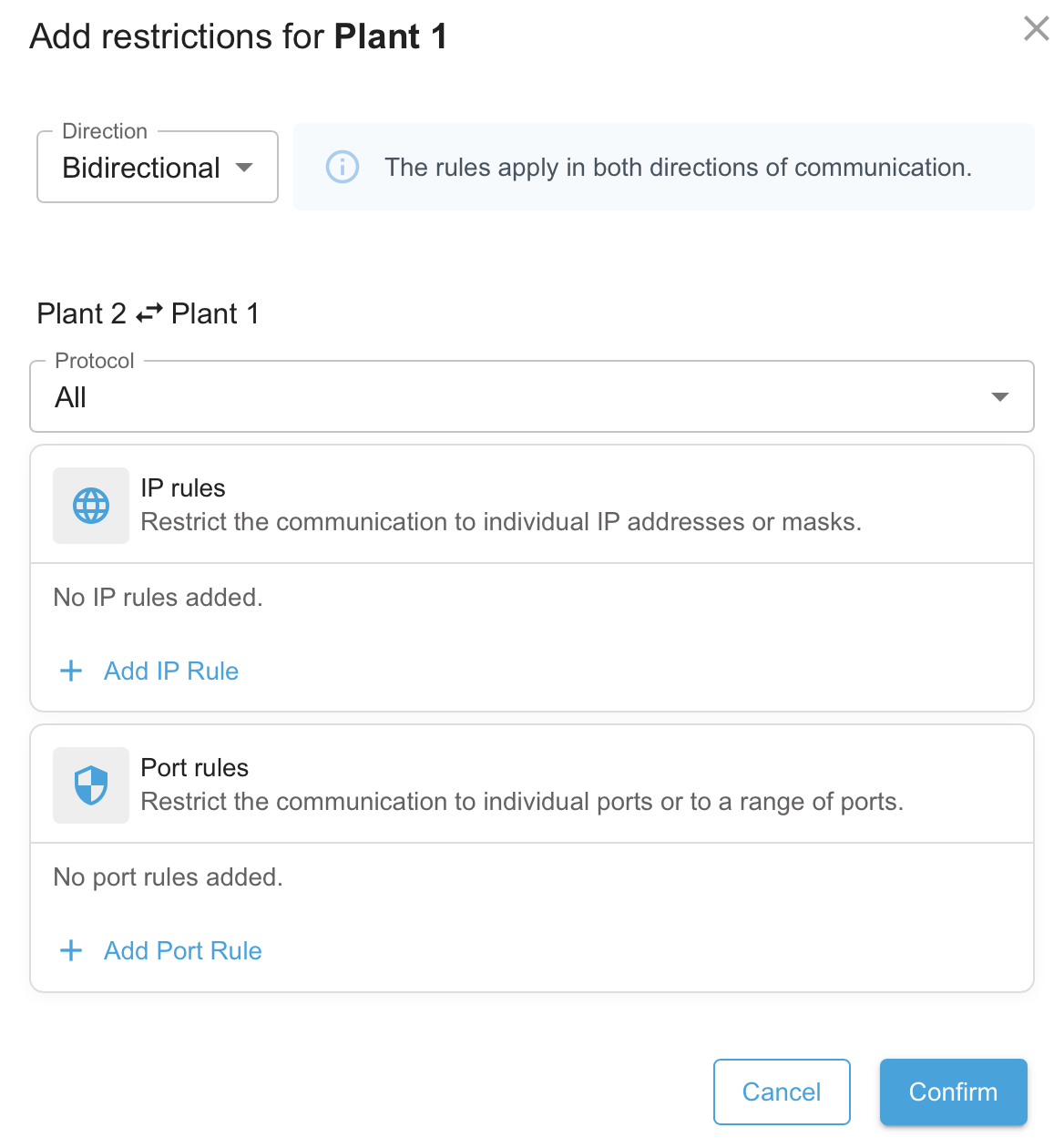
Immediately after creation, a group connection rule allows all connections between the two groups. Clicking the button opens the dialogue box for restricting this group connection rule. Here, you can specify the permitted direction of communication, the permitted protocols, and the permitted IP addresses and ports.
Communication direction
The Direction specifies the communication direction for which this rule applies.
If Bidirectional is selected here, this rule applies equally to both directions of communication, i.e. outgoing connections from this group and incoming connections from the other group.
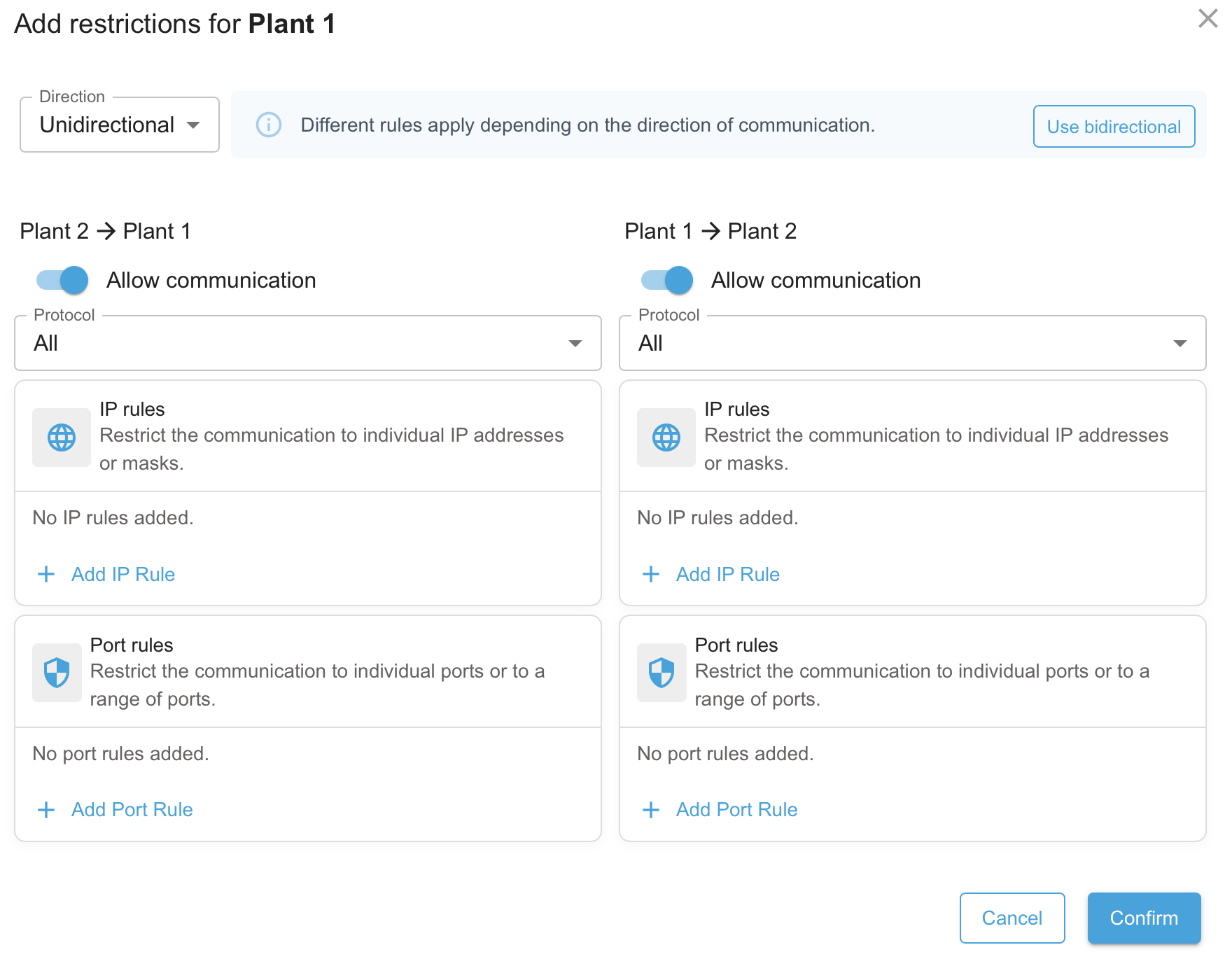
If Unidirectional is selected here, different rules can be defined for each direction of communication. To do this, the restrictions can be set separately for both directions of communication.
Protocol
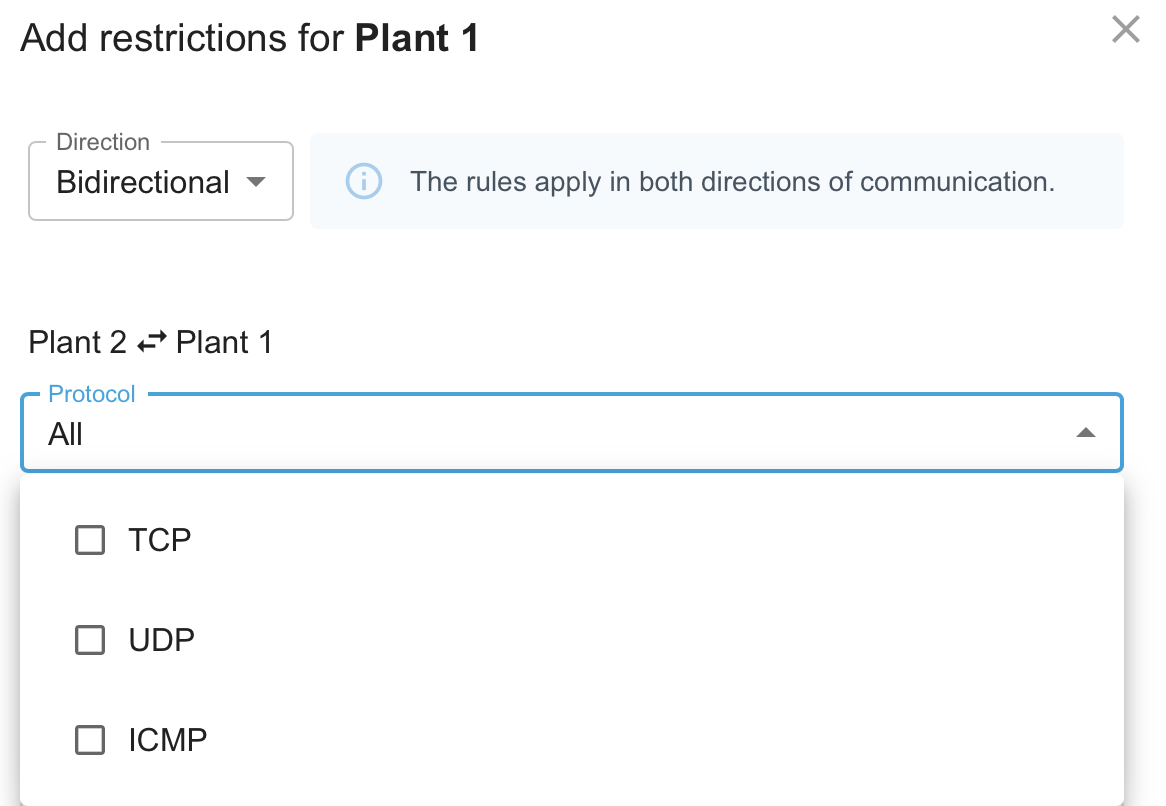
The Protocol specifies the communication protocols permitted for this connection: TCP, UDP or ICMP. The All setting corresponds to selecting all three available protocols. If a certain protocol is selected, only connections using this protocol can be established between the respective groups. Payload connections usually use TCP or UDP while the ping command for checking the availability uses ICMP.
IP rules
The IP Rules allow you to add individual communication rules for this group by clicking on Add IP Rule; these rules only permit connections to the specified IP address, including the subnet mask. By creating multiple rules, you can permit access to several IP addresses. Existing IP rules can be deleted by clicking on .
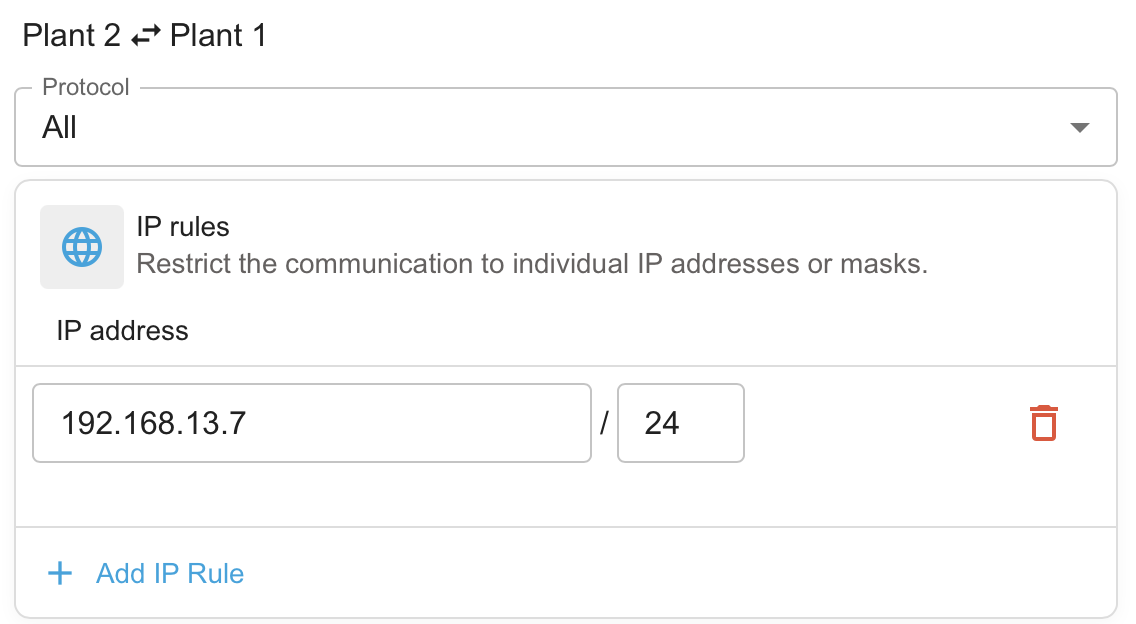
It is possible to restrict the connections to certain devices in the network behind the router by specifying a target station. Only those part of the address will be specified for the target station that specifies the designation within the respective network. This information will be added to the network address to get the IP address of the target device. It is also possible to specify a target station that defines a whole IP address range using a netmask in CIDR notation. The following example illustrates the effectiveness of the specification of a target station:
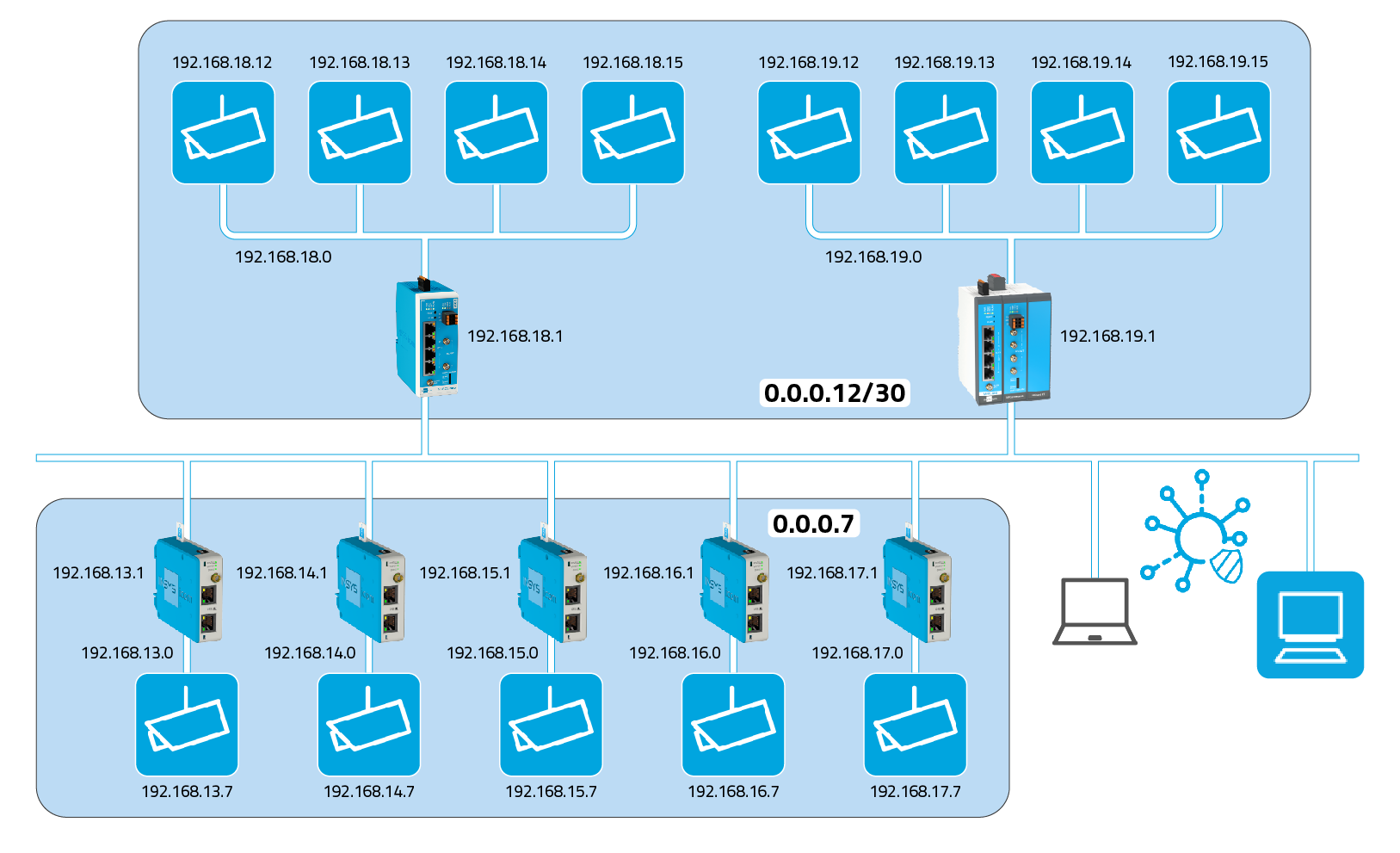
In this example, the target station 0.0.0.7 is configured for connections to the devices in the lower group.. This means that connections to the device (camera) with the IP address 192.168.13.7 can be established in the network with the address 192.168.13.0 via the router with the IP address 192.168.13.1 for example. This is also effective accordingly for the other devices in this group.
The target station 0.0.0.12/30 is configured for connections to the devices in the upper group. This means that connections to the devices with the IP addresses 192.168.18.12 through 192.168.18.15 can be established in the network with the address 192.168.18.0 via the router with the IP address 192.168.18.1 for example. This is also effective accordingly for the other devices in this group.
Ports and port ranges
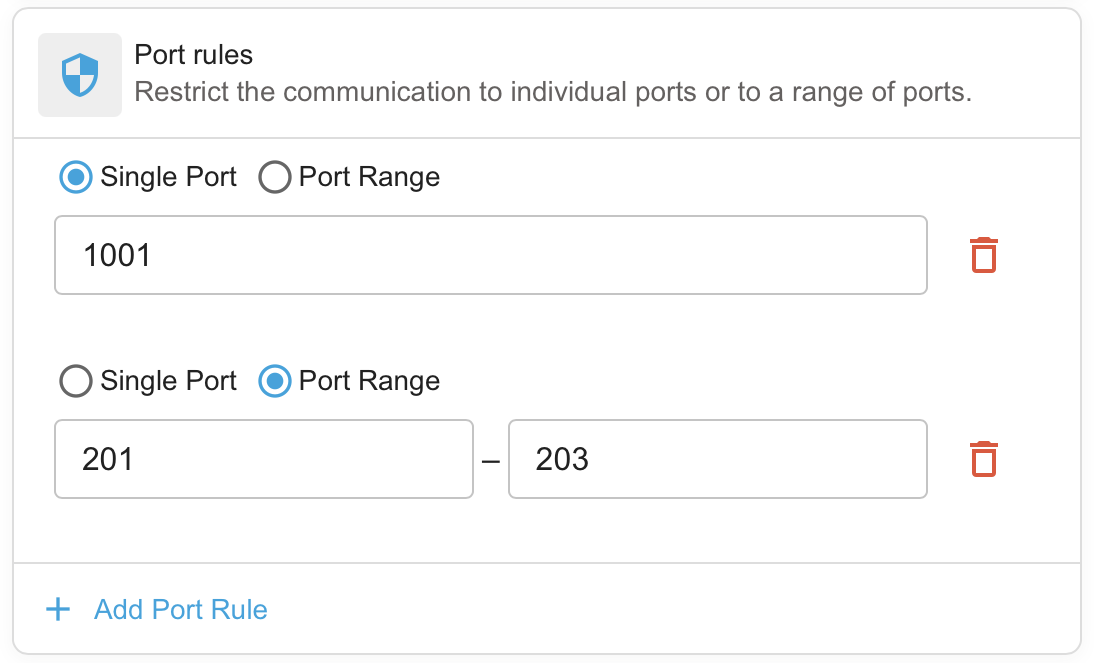
The Port rules allow you to add individual communication rules for this group by clicking on Add port rule; these rules only permit connections to the specified port or port range. By creating multiple rules, you can permit access to several ports or port ranges. Existing port rules can be deleted by clicking on .