Situation
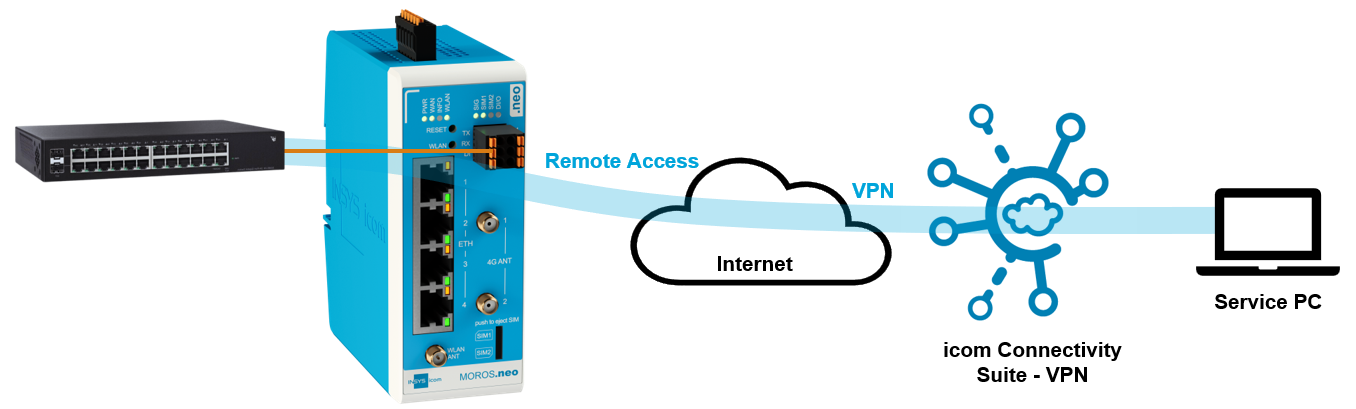
A network device (in this example, a switch) with an RS-232-based management console is located in a facility. It should be possible to use this interface via secure remote access, for example to change settings or run diagnostic functions.
This is just one example of a wide variety of other possible applications!
This example is representative of other components which have a serial configuration interface, are essential for the operation of a system, and should be accessible via secure remote access, at least from a control centre.
Solution
To address this requirement, an INSYS icom router with an RS-232 interface is used, for example the MOROS.neo-EW.4G. The router’s serial interface is connected to the network device’s serial console. The router is connected to the icom Connectivity Suite – VPN to enable secure remote access. The router’s Serial-Ethernet Gateway function is used to provide remote access to the serial console.
Prerequisites
The following procedure assumes that the router has been set up using the Startup Wizard as well as added and connected to the icom Connectivity Suite – VPN.
RS-232 connection
Serial interfaces (including RS-232) are not always connected in a standardised way. Differences may arise in the case of
the connector type (e.g. D-SUB9, RJ45, terminal)
the available signals (minimum required: Rx, Tx, GND)
the polarity or data direction (DTE = Data Terminal Equipment or DCE = Data Carrier Equipment)
the settings for baud rate and data format (e.g. 115,200, 8N1)
You will find the exact specifications for the device to be connected to the router in the relevant documentation.
You will find the exact specifications of the RS-232 interface on the router in its user manual. Please see our Knowledge Base for more information, e.g. on the MRX.neo or MOROS.neo.
Router configuration
Open the user interface of the router in a browser: https://insys.icom
Click on the Ethernet → Serial Ethernet page on to add a serial-Ethernet gateway hinzuzufügen and configure it accordingly:
Interface: select the serial RS-232 interface of the router
Description: enter a unique, descriptive name
Accept incoming connection for protocol: TCP
Accept incoming connection on port: enter a port that is not being used by other applications or is not otherwise a ‘well-known port’
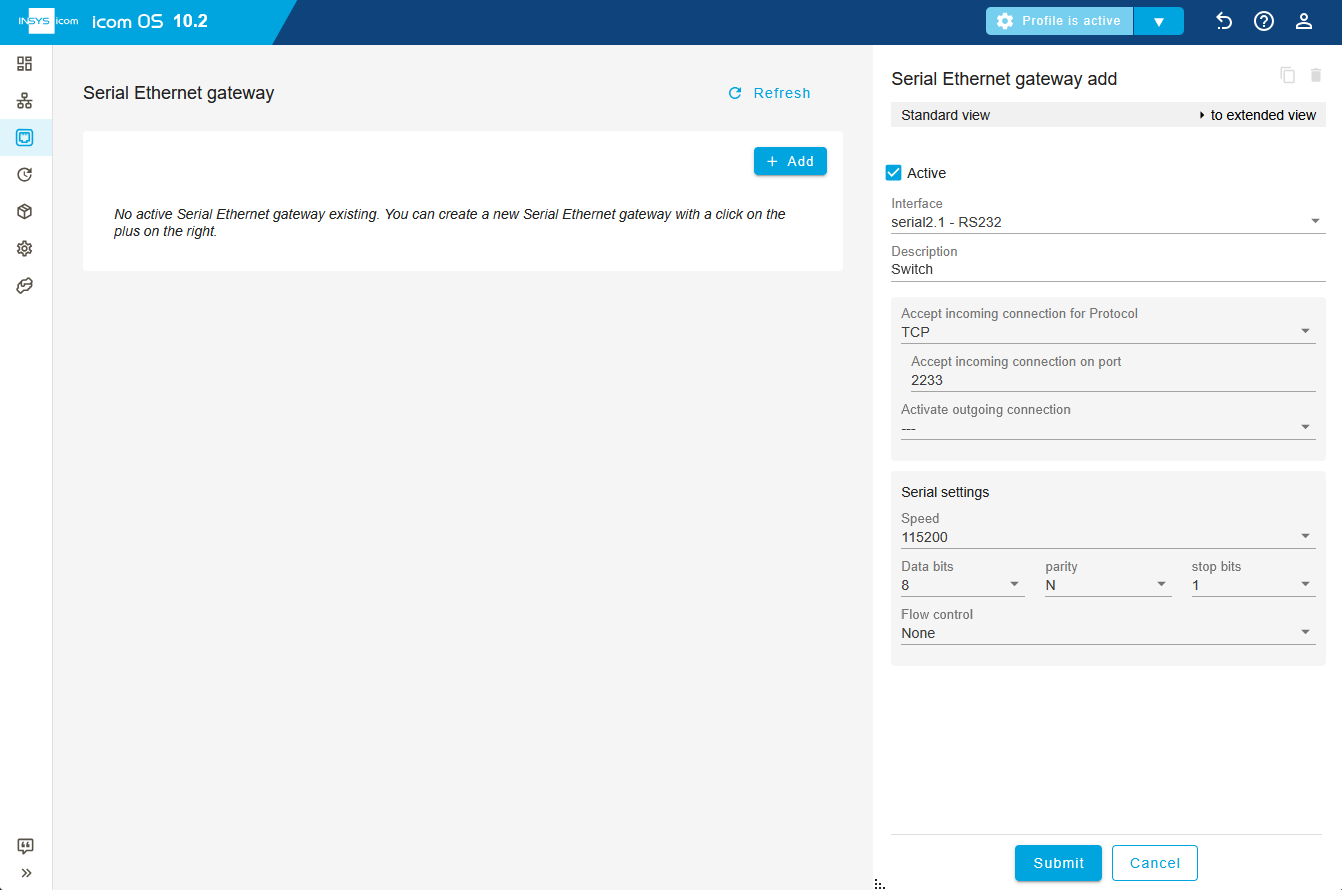
Click on Submit.
Add a new firewall rule that permits incoming TCP connections.
Click on the Network → Firewall / NAT page in the IP Filter section on and configure it accordingly:Description: enter a unique, descriptive name
Packet direction: INPUT
IP version: IPv4
Protocol: TCP
Input interface: select the interface for incoming connections to the RS-232 device
Destination port: enter the port selected above for the Serial-Ethernet gateway
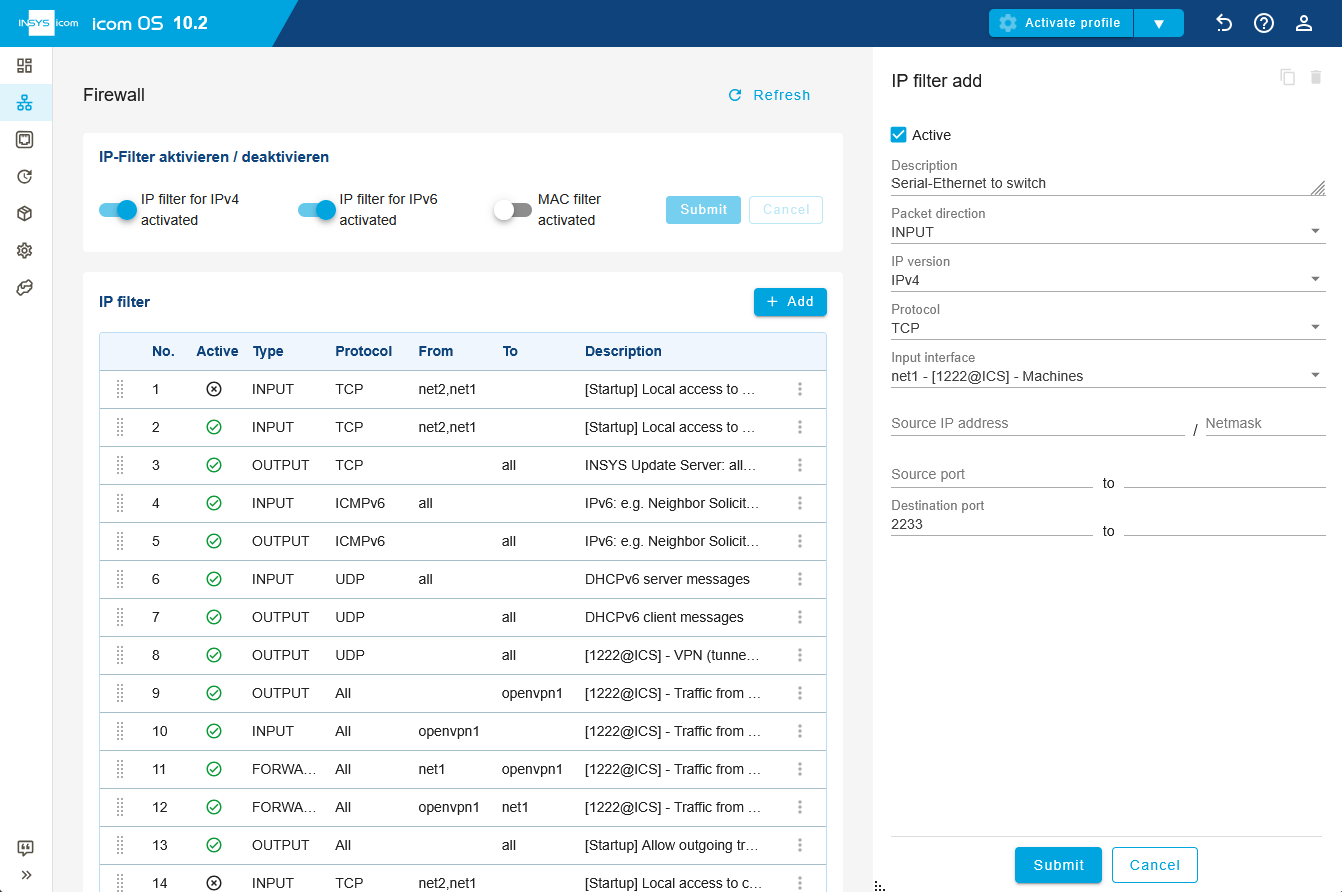
Click on Submit.
Activate the profile with a click on Activate profile .
You have now configured the router for the RS-232 connection.
Results check
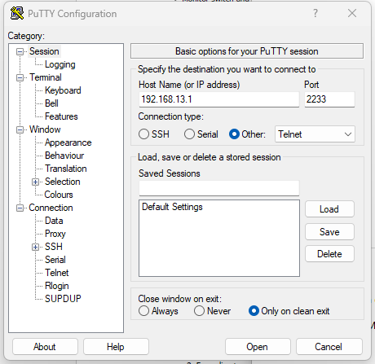
Connections to serial consoles can be established using various tools, such as traditional terminal programmes (like TeraTerm ) or PuTTY. Windows’ built-in tools, such as ncat in Windows PowerShell, can also be used.
We will be using PuTTY from here on.
Connect your PC to the icom Connectivity Suite – VPN. To do this, it must first have been added in the icom Connectivity Suite – VPN.
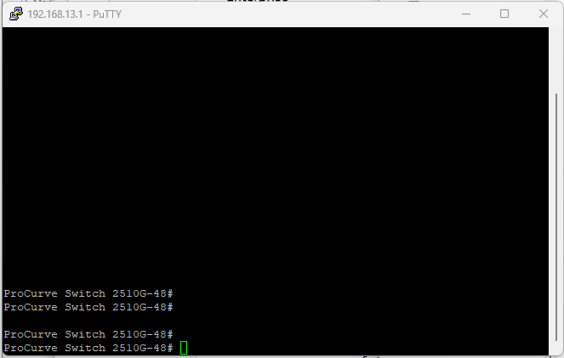
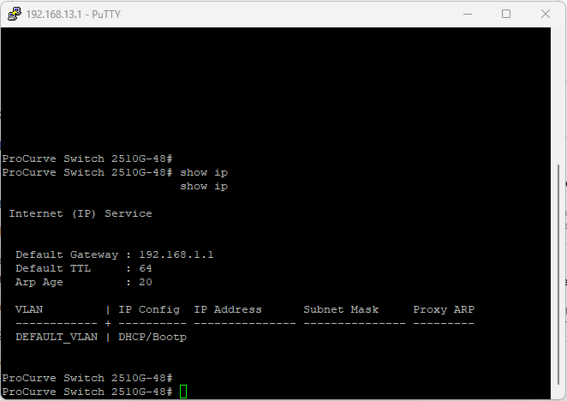
Use the Terminal programme and connect to the router. To do this, enter the router’s accessible IP address and the port specified above as the connection destination.
Troubleshooting
Some of the most common sources of error when using RS-232 interfaces are:
Reversal of Rx/Tx on connectors/cables: with RS-232, for a DTE, the Tx signal is an output and the Rx signal is an input. For a DCE, it is exactly the opposite. Swap both signals on one side (DCE or DTE) or try a null modem cable.
No GND: unlike RS-485, an RS-232 interface always requires a GND connection between the DCE and the DTE, as the electrical signals are referenced to GND.
Disable flow control (hardware or software) on both sides. In serial console applications, only small amounts of data are usually transmitted, so flow control cannot be used to regulate the data flow.
Baud rate / data format: some serial devices feature automatic detection of the baud rate and data format. On other devices, these must be set manually. The relevant settings in the router’s Serial-Ethernet Gateway and those of the connected serial device must match.
More tips
Access control via icom Connectivity Suite – VPN:
The example shown above illustrates general remote access to a serial interface on the router. In practice, access to this interface should be regulated and restricted.
Setting up groups is a good way of doing this.
icom Router Management for firmware update
In order to meet the increasing IT security requirements for applications (e.g. NIS2, CRA), IT components such as routers will need to be managed in future. With icom Router Management, INSYS icom offers a centralised tool for monitoring routers, updating their firmware and managing their configuration.