Please note!
Before adding groups, it is recommended to consider a reasonable organisation of the devices into groups.
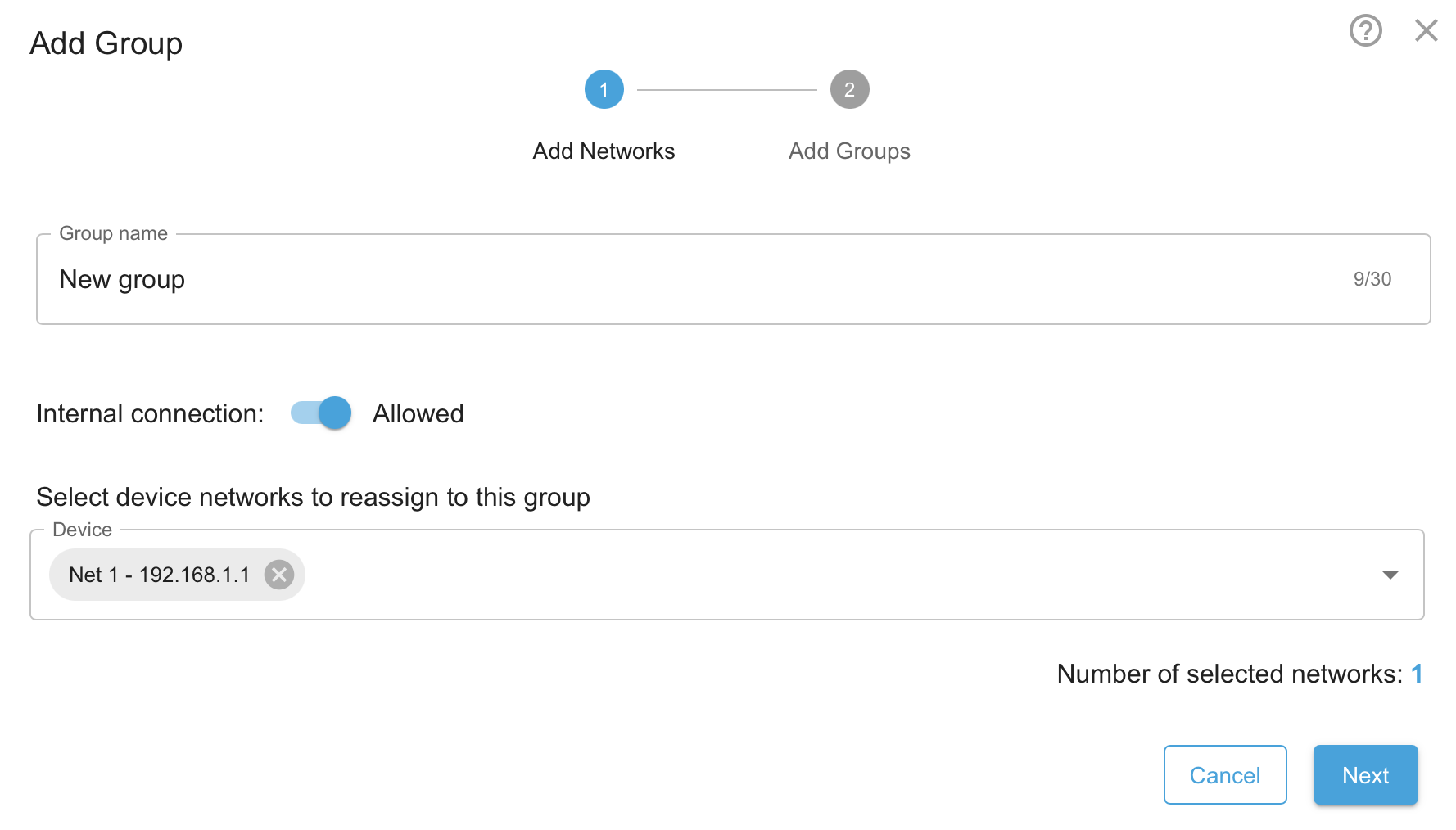
The + Add Group button permits to add a new group.
Enter a Group name that describes the group clearly enough to distinguish it from other groups.
Specify whether Internal connections within the group are Allowed or Denied. See also Communication within a group.
Optionally, select the device networks to be assigned to this group. All selected IP networks for the respective devices will then be assigned to this group.
Click on Next.
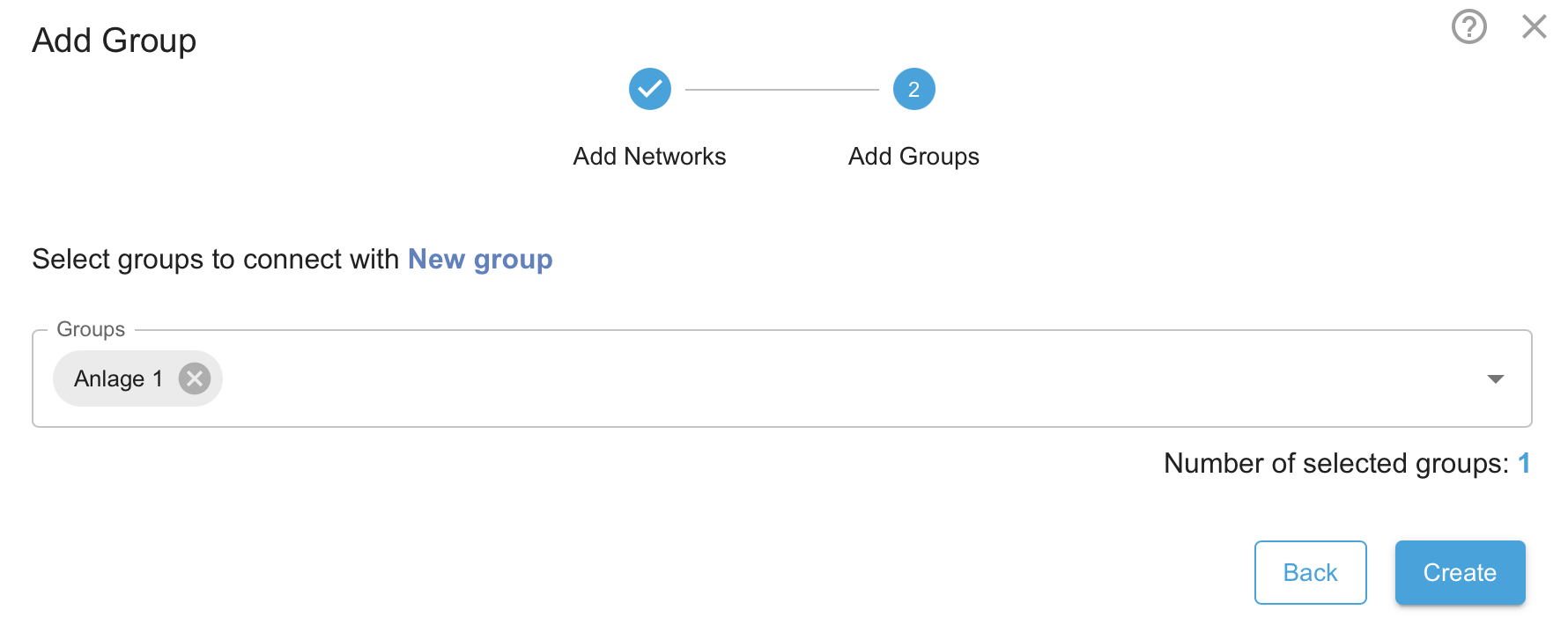
Optionally, select other groups that are permitted to communicate with this group. This creates group communication rules, which can be edited or restricted at a later date.
Click on Create to add the group.
The new group will appear under Groups.